WordPress, Webflow, or Custom Code: Which Is Right for a Kenyan Business?
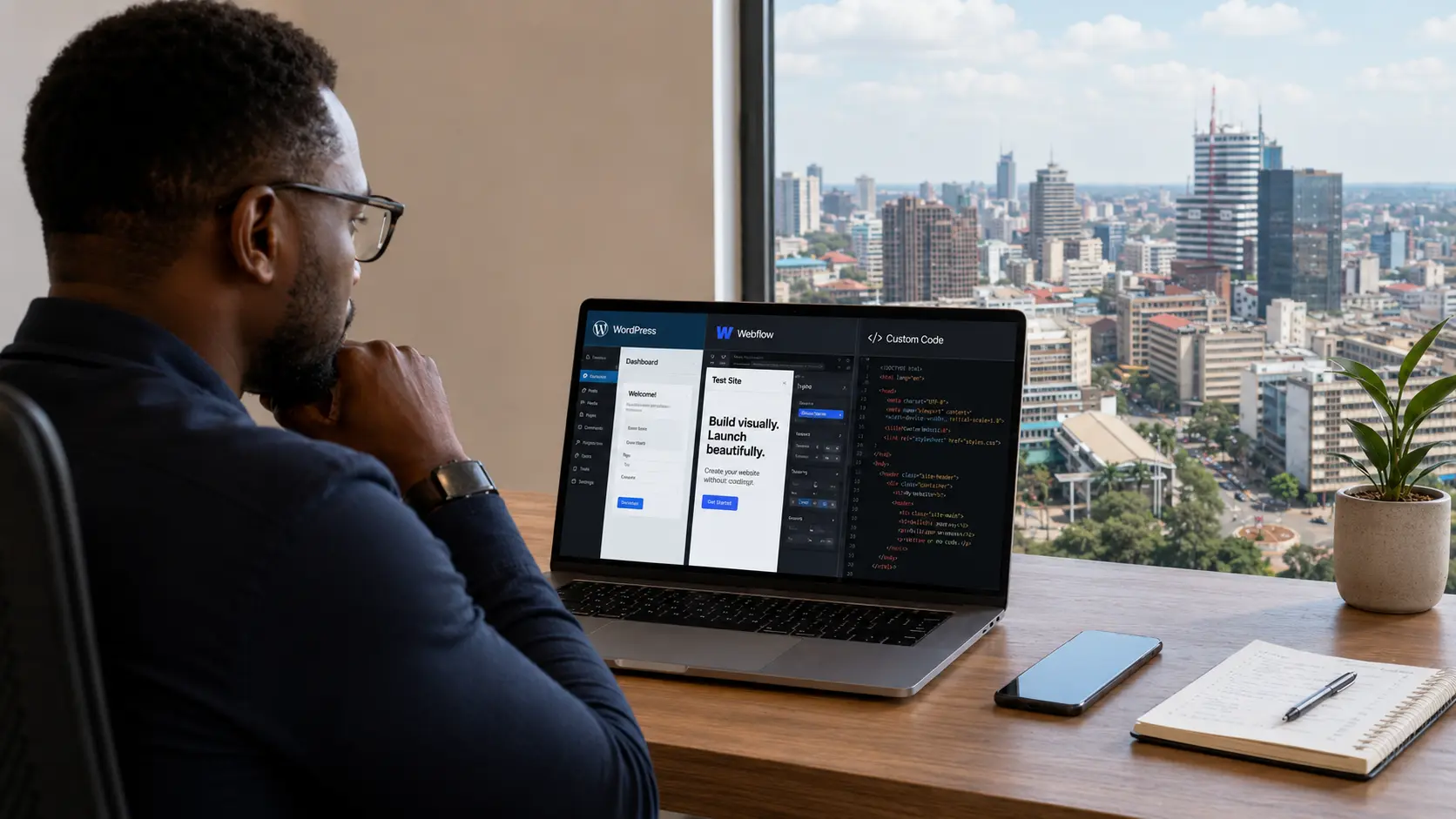
Choosing how your website gets built is not only a design decision. It shapes the build cost, the launch timeline, the hosting setup, the payment options, and, most of all, who can maintain the site once it is live. That last part is where a lot of businesses get stuck.
A site can look fine on launch day and still turn into a problem later. The price list needs changing, a contact form quietly stops sending emails, the business wants to add M-Pesa, and the original developer has moved on. The team can log in, but nobody is sure what is safe to touch.
For a Kenyan business these details carry real weight. The site may need M-Pesa or Pesapal, hosting costs need to stay sensible, and staff often need to update content without calling a developer every week. The same site may also be serving international clients, donors, or diaspora customers who expect it to look polished and trustworthy.
So the useful question is not whether to use WordPress, Webflow, or custom code. It is which of them fits how your business will actually operate after launch. All three can work well, and problems tend to start when a platform gets chosen because it is familiar, fashionable, or cheap, rather than because it suits the business. This guide walks through the real trade-offs for Kenyan businesses building online, whether the audience is local, regional, or international.
Choose WordPress when affordable hosting, easy editing, and wide local support matter most. Choose Webflow when design polish and launch speed lead. Choose custom code when the site needs custom features, performance, or is part of how the business runs. The deciding factor is usually who maintains the site after launch, not the price to build it.
The quick verdict
Here is the comparison in one view before we get into the detail.
| Option | Best for | Be careful if |
|---|---|---|
| WordPress | Affordable hosting, easy content editing, blogging, SEO, WooCommerce, and wide local developer support | You do not want to deal with plugins, updates, security, and ongoing maintenance |
| Webflow | Design-led marketing sites, portfolios, landing pages, and premium service brands that want polish without WordPress upkeep | You want very low monthly costs, complex M-Pesa logic, or a large pool of local people who can take it over |
| Custom code | Serious business sites, platforms, portals, dashboards, booking systems, custom payment flows, and performance-focused builds | You want to edit every section yourself without involving a developer |
If you want it in a sentence: WordPress when affordability, editing, and local handover matter most, Webflow when design and launch speed matter most, and custom code when control, performance, and custom functionality matter most. The more useful answer, though, starts with maintenance, because a platform is only right if the business can live with it after the launch excitement fades.
WordPress: familiar, flexible, and widely supported
WordPress is still one of the most practical options for many Kenyan businesses. It is familiar and flexible, most local developers have worked with it, and hosting companies understand it. A business owner can log in and edit pages, publish posts, swap images, and update services without touching code. For many small and medium businesses, that matters more than having the newest platform. A restaurant updates its menu, a consultant publishes articles, an NGO uploads reports, a property company adds listings, and a service business keeps improving its SEO pages over time.
Where WordPress fits
- The business needs a company website with several pages.
- Blog articles or SEO pages are part of the plan.
- Hosting costs need to stay manageable.
- The team wants to make routine content updates in-house.
- The site needs common features like forms, galleries, SEO tools, newsletter embeds, or basic e-commerce.
- You want many local developers to be able to support it later.
The Kenyan reality
WordPress hosting is relatively affordable, which makes it attractive for businesses that need a real online presence without a heavy custom build. The catch is that WordPress is not set-and-forget. Most sites lean on plugins for forms, SEO, security, backups, page building, and payments, and every plugin is another moving part that can need updating, conflict with another, or slow the site down. This is where a cheap WordPress site becomes expensive later. A clean build can serve a business for years, while a messy one looks fine at launch and turns fragile within months. In that situation the problem is rarely WordPress itself, it is how the site was put together.
When WordPress is the right call
Choose WordPress when the business needs a practical, editable website and long-term handover matters. It is especially strong for company websites, blogs and content hubs, service businesses, schools, churches, NGOs, professional firms, and small online shops. It is not always the most modern answer, but for many Kenyan businesses it remains one of the easiest options to support after launch, and that is a real advantage.
Webflow: polished, fast, and design-led
Webflow gives designers strong visual control without coding every site from scratch. It suits visual, design-led work: landing pages, portfolios, campaign pages, startup sites, agency sites, and premium service brands. Where WordPress is a content system that designers learned to bend, Webflow is a design tool that grew into a website platform, and that difference shows in the result. Layouts come out cleaner, interactions are easier to manage, and hosting is handled by Webflow, so there is no cPanel, PHP version, or caching plugin to think about.
Where Webflow fits
- The website is design-led and presentation matters.
- You want to launch faster than a fully custom build allows.
- The site is mostly marketing content.
- The team does not want to manage WordPress plugins.
- You need a CMS for structured content like case studies or articles, but not a complex backend.
- The audience is brand-conscious or international.
The Kenyan reality
The issue with Webflow in Kenya is not quality, it is ownership. There are Webflow designers here, but the pool is smaller than WordPress, so if your designer becomes unavailable, the next one may take longer to find or cost more. Hosting is also tied to Webflow and billed in dollars, and a CMS-powered Webflow site cannot be moved to cheap local hosting the way a WordPress site can. That is fine when you value the convenience and polish. It becomes a problem when you expected very low annual hosting costs or full control over where the site lives.
Can you edit Webflow yourself?
Yes, when it is set up properly. Webflow lets you edit CMS items, text, images, articles, and team profiles, though not freely redesign every section. That restraint is usually a good thing. Most businesses do not need to rebuild the site every week, they need to change content without breaking the layout. Webflow works best when the designer creates reusable sections and controlled editable areas, so you can update what needs to change while the design stays protected.
Custom code: full control and higher responsibility
A custom-coded site is built with code rather than a website builder. That might be plain HTML, CSS, and JavaScript for a simple site, or a framework like Next.js, Laravel, or Astro for something larger. Custom code is not automatically better. What it gives you is control: fewer platform assumptions, fewer plugin dependencies, and more freedom in how the site is structured, how fast it loads, how the backend works, and how payments are handled.
Where custom code fits
- The site has custom functionality beyond displaying information.
- You need a portal, dashboard, booking system, or membership area.
- Speed, structure, and control matter.
- The site needs custom integrations.
- You want fewer plugin dependencies.
- The site may grow into a platform later.
A simple company profile may not need custom code. But a ticketing site with subscriptions, member-only content, and admin workflows should not be forced into a fragile page builder. The same goes for a logistics firm with quotation workflows and customer dashboards, or a tour company serving international clients with booking logic, deposits, and itinerary management. At that point the website is part of how the business runs, not just a brochure. If you are weighing a build like that, our guide on desktop apps versus web apps covers where a custom platform makes sense.
The Kenyan reality
Custom code usually costs more upfront because more has to be decided properly: structure, CMS, hosting, admin panel, payments, security, and deployment. The payoff is long-term control. You are not waiting on a plugin author to support your exact case, and you are not forcing business logic into tools built for simpler sites. The trade-off is that editing is only easy if a CMS is deliberately built in. A good custom build still gives you control over the content you actually need to change, but that has to be planned from the start, deciding what stays editable and what stays locked to protect the design.
When custom code is the right call
Choose custom code when the website is business-critical or needs to do more than display information. It is strongest for custom company sites, high-performance marketing sites, membership platforms, booking systems, client portals, internal dashboards, e-commerce with custom rules, and publication sites. It is not for every business, but when the site is how you sell, manage users, or process payments, it is often the cleaner long-term path.
The factor most people skip: who maintains it after launch
Most clients ask what the website will cost. The more revealing question is who will maintain it afterwards, because a site is not finished when it goes live. It needs updates, backups, content changes, SEO work, payment checks, security monitoring, form testing, and the occasional bug fix. Here is the honest picture.
| Platform | Maintenance reality |
|---|---|
| WordPress | Easy to find support, but plugins, themes, backups, PHP versions, and security need ongoing attention |
| Webflow | Less technical maintenance, but fewer local specialists and a platform cost that continues every month |
| Custom code | Cleaner control, but structural changes and new features usually need a developer or support plan |
This is where the wrong choice usually happens. A business picks WordPress because it is cheaper to build, then ignores updates until something breaks. Or it picks Webflow for the polish, then balks at paying in dollars every month. Or it picks custom code because it feels premium, then gets frustrated that it cannot change every section alone. The tools are rarely the problem. The problem is choosing without a plan for who owns the site afterwards.
The three-year cost picture
The cheapest site to build is often not the cheapest to own. A low-cost build can get expensive if it breaks often, needs constant patching, loads slowly, or has to be rebuilt within a year. A higher upfront build can work out cheaper over time if it is stable and easy to extend. Here is a simplified three-year view for a Kenyan business.
| Cost area | WordPress | Webflow | Custom code |
|---|---|---|---|
| Build cost | Low to mid | Mid | Mid to high |
| Hosting / platform | Low to moderate | Moderate to high | Low to moderate, depending on stack |
| Maintenance | Ongoing plugin, backup, and security care | Lower technical care, ongoing platform fee | Developer support when changes are needed |
| Editing freedom | High | Medium | Depends on CMS setup |
| Handover options | Many local developers | Fewer local specialists | Depends on code quality and documentation |
For many small businesses, WordPress has the lowest starting cost. For design-led brands, Webflow earns its monthly fee through speed and polish. For platforms or sites with custom logic, custom code costs more upfront but tends to be cleaner over time. The first quote rarely tells the whole story, so compare build, hosting, maintenance, future edits, and developer availability together. For real ranges, see our guide on what a custom website costs in Kenya.
If you need to take payments
Payments change the decision. In Kenya, taking money online usually means M-Pesa, cards, or both, sometimes through Pesapal, sometimes through a direct M-Pesa integration on Daraja, and sometimes a simpler flow where the customer pays and uploads confirmation. The platform affects how easily that comes together.
WordPress payments
WordPress is usually the easiest route for standard e-commerce, because WooCommerce has a large plugin ecosystem and Pesapal, M-Pesa, and card gateways tend to plug in more readily than on other platforms. That does not make integration trivial. You still need proper testing, order status handling, confirmation emails, callback URLs, and reconciliation. For a normal online shop, though, WordPress with WooCommerce is often the most practical option.
Webflow payments
Webflow can handle e-commerce, but Kenyan payment workflows often need more care. Standard card payments may be manageable depending on the setup. The moment you need M-Pesa, Pesapal, subscriptions, or custom confirmation flows, Webflow can become limiting or require third-party workarounds. For a simple journey such as pay via link, request an invoice, or book a consultation, it is fine. For serious local e-commerce, think carefully before making it the main sales system.
Custom-coded payments
Custom code gives the most flexibility. You can integrate directly with Pesapal or Daraja and design the checkout around the business. It is the strongest route when payments tie into custom logic such as subscriptions, member access, ticketing, deposits, split payments, or internal reporting. The trade-off is cost, since a proper integration has to be planned, built, tested, and documented rather than dropped in as a button.
So which should you choose?
Use this as a quick decision framework.
Choose WordPress if hosting cost matters, the team needs to edit content often, blogs or a standard online shop are part of the plan, you want many local developers able to help later, and you will keep a maintenance plan.
Choose Webflow if the site is mainly a polished marketing site, visual quality and launch speed matter, you do not want to manage plugins, you are comfortable with the monthly platform cost, and the site does not need complex local payment logic.
Choose custom code if the site needs custom functionality, speed and control matter, you want fewer platform limitations, the site is part of operations rather than just marketing, and there is a developer or support plan after launch.
The honest answer is not that one platform wins. The right choice depends on your business model, internal capacity, payment needs, editing needs, audience, and how much control you want after launch.
Frequently asked questions
Usually yes, especially at the start, because developers can build on existing themes, plugins, and CMS features instead of writing everything from scratch. Cheaper to build does not always mean cheaper over three years. If the site leans on many plugins, breaks often, loads slowly, or has to be rebuilt later, the long-term cost climbs. WordPress is cost-effective when it is built cleanly and maintained properly.
Yes, when the site is set up properly. Webflow lets you edit CMS content, text, images, blog posts, case studies, and team profiles. It does not let you freely redesign every section, which is usually a good thing. A good handover gives you control over the content you need to change while protecting the design from accidental damage.
Not always. Custom-coded sites cost more when you need structural changes or new features, since a developer has to make them. But they also tend to have fewer plugin conflicts and fewer unnecessary moving parts, so they are often more stable. Clean, documented code with a clear deployment process can be easier to maintain than a messy WordPress site overloaded with plugins.
Webflow is better for some design-led marketing sites. WordPress is better for many content-heavy sites, blogs, and businesses that want cheaper hosting and easier local handover. Neither is better in general, because they solve different problems.
For a normal online shop, WordPress with WooCommerce and a trusted payment plugin is usually the most practical. For custom payment flows, subscriptions, ticketing, dashboards, or advanced automation, custom code is usually stronger. Webflow can handle simpler payment journeys, but Kenyan payment requirements often need extra workarounds.
The bottom line
Do not pick a platform because it is modern, cheap, or what everyone seems to be using. Pick it based on what the site needs to do for the business. If affordable editing and wide local support matter most, WordPress is hard to beat. If you want a polished marketing site without plugin upkeep, Webflow makes sense. If the site is strategic or tied to operations, custom code is often the better long-term investment.
The platform matters less than the plan around it: what should be editable, who maintains the site, how payments work, and what the business might need in year two. That is the conversation worth having before anyone starts building.