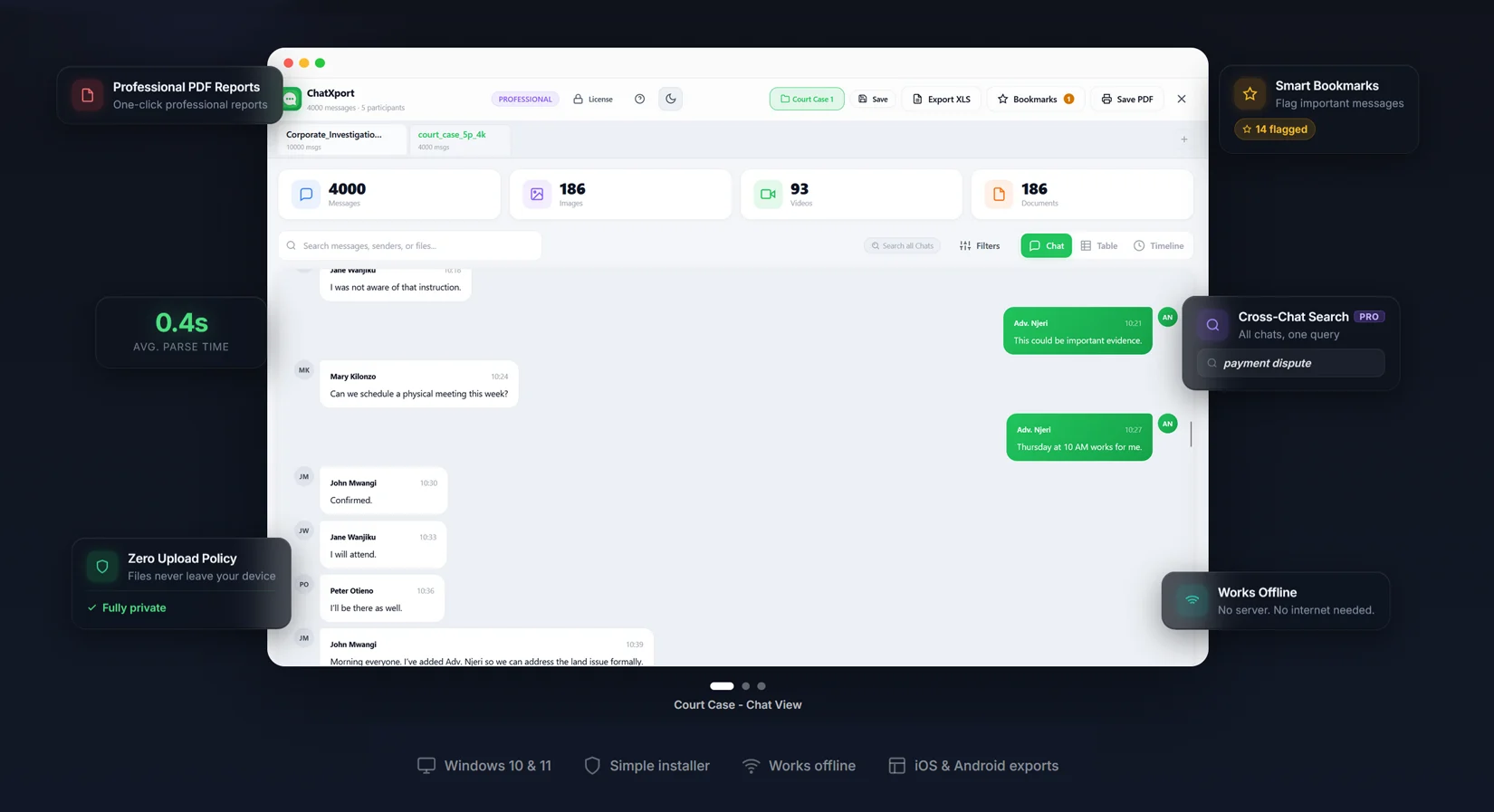
ChatXport opens WhatsApp ZIP exports in a clean viewer with search, filters, bookmarks, and professional exports. Runs entirely on your device — nothing uploaded.
Windows 10 & 11 · Free tier included · No account required
Three steps from your phone to a clean, searchable workspace on your computer.
Open any chat, tap the menu, select More → Export chat, choose Include media, and save the ZIP file to your computer.
Drop the ZIP into ChatXport. Select your name so your messages appear on the right — just like your phone.
Browse messages, filter by sender or date, bookmark what matters, and export to PDF or XLS in one click.
Thousands of messages, unnamed media files, no search. Here is how most people deal with it — and why ChatXport exists.
Switch between views depending on what you need.
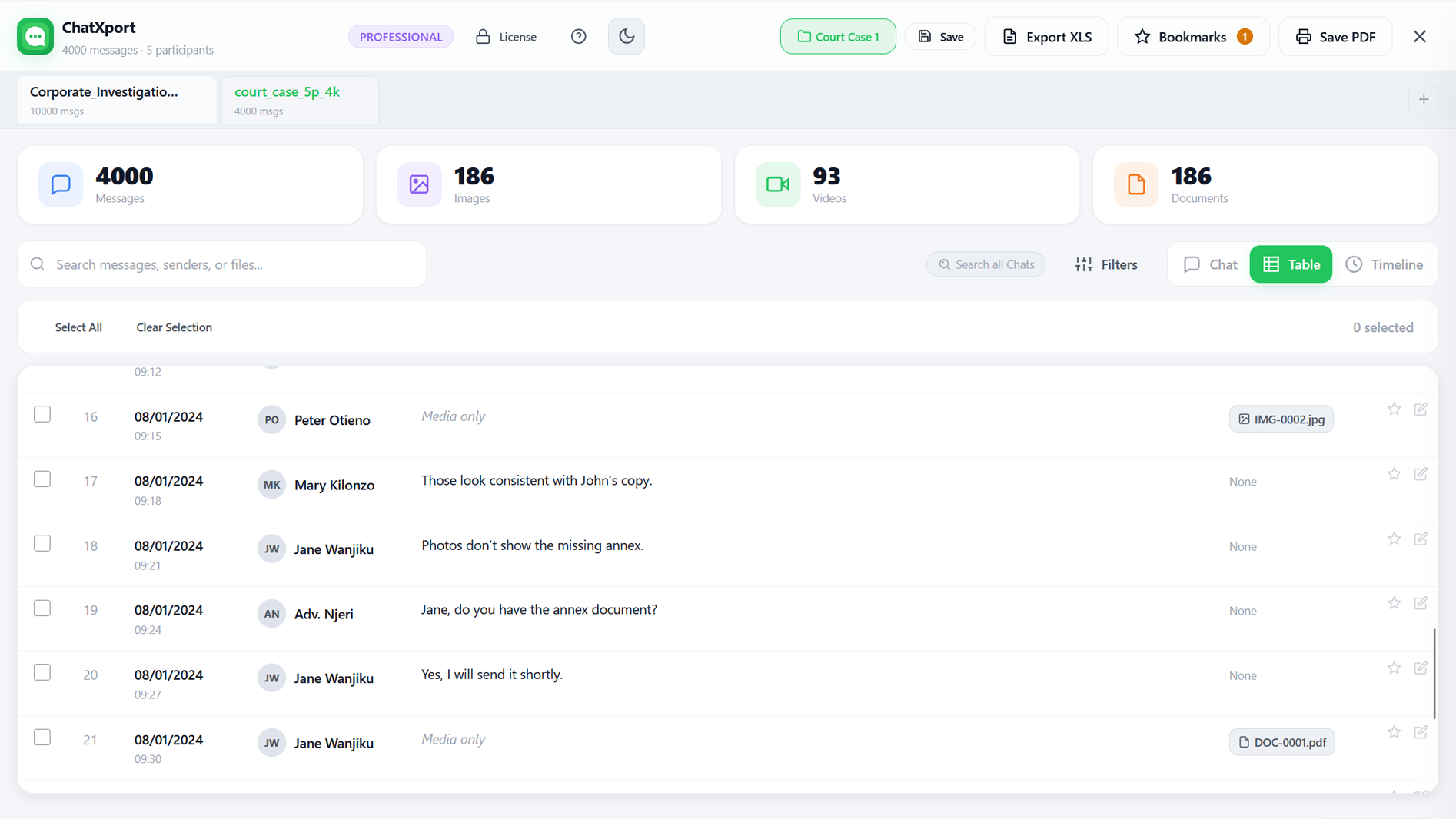
The familiar WhatsApp-style chat interface. Your messages on the right, others on the left.
Spreadsheet-style view with sortable columns. Perfect for analysing patterns or preparing data for export.
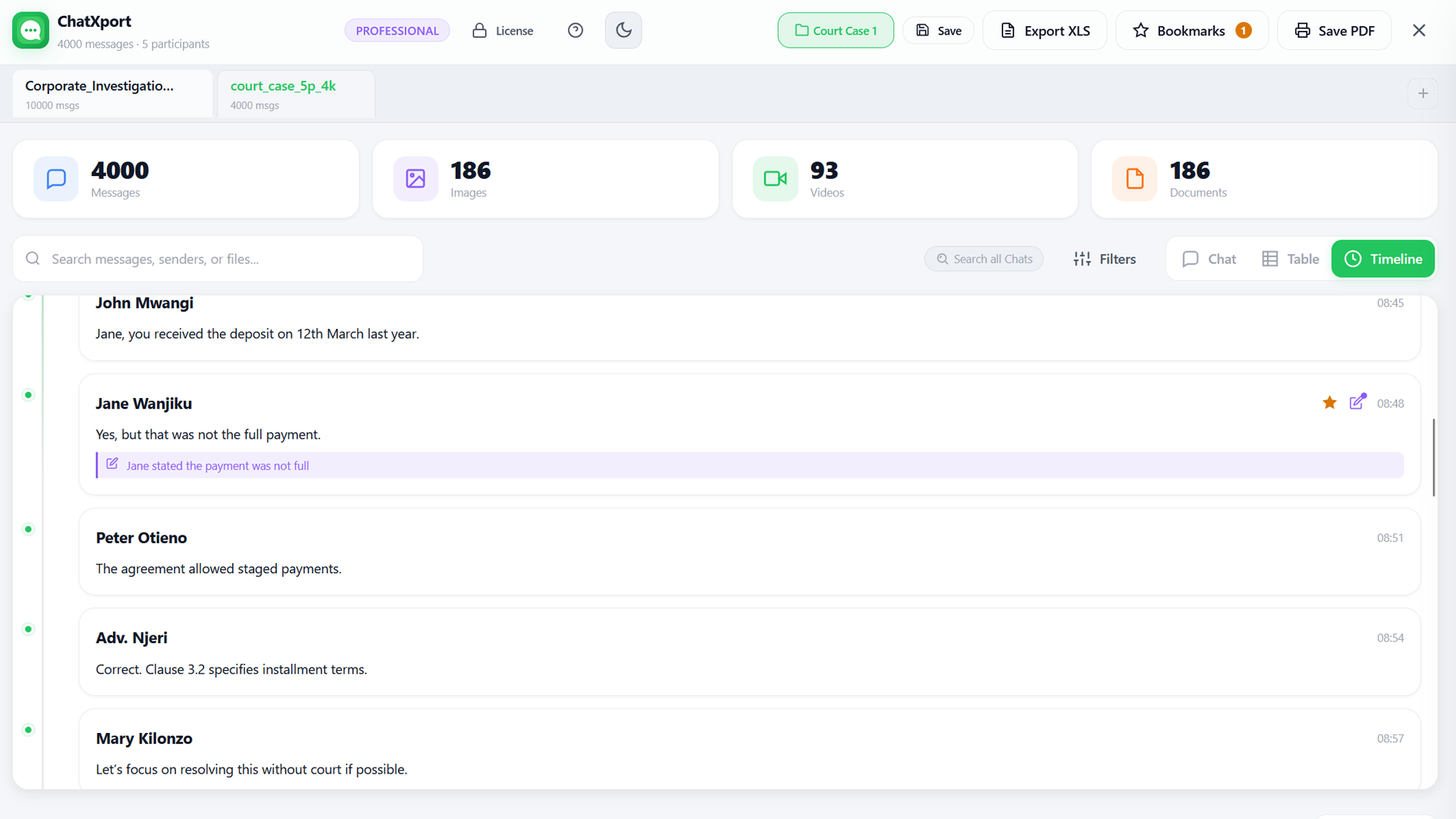
Chronological feed grouped by date. Great for reviewing conversations over time or finding messages from specific days.


ChatXport helps you revisit, search, and preserve exported chats — whether sentimental, transactional, or everything in between.
Years of family group chats hold birthdays, milestones, photos, and the small everyday moments that become memories. ChatXport opens the whole archive offline with photos and voice notes in context.
"All my children under one roof. This is everything."

A wedding chat can run to hundreds of messages and photos spread across months of planning. ChatXport opens the whole thread with photos in their right place and lets you search every word in under a second.
Kate · "I'd like to propose adding the venue walkthrough on the 13th, before final setup."

Flight times, hotel confirmations, packing-list debates — all scattered across a 600-message group chat. ChatXport finds any of it in one search, shows forwarded documents in context, and gives you a clean PDF for the road.
Maya · "All booked! 🎉 £412 × 5 = £2060"

Online WhatsApp viewers ask you to upload private conversations to their servers — your messages, photos, and files on someone else's computer. ChatXport is different.
Pay once, use forever. No subscriptions, no recurring charges.
No. ChatXport runs entirely on your device. Your chat files are never uploaded, transmitted, or shared with anyone. All processing happens locally — it even works in airplane mode once loaded.
WhatsApp ZIP exports from both Android and iOS, including attached media files. Telegram and Signal support are on the roadmap.
No. Personal ($29) and Pro ($69) are one-time payments. Your license never expires. Optional priority support renewal is $20/year after the first year, but the software works fully without it.
Purchase on Gumroad or the Microsoft Store and receive your key instantly. Enter it in ChatXport. Verification happens offline via SHA-256 — no internet required to activate.
Yes. Up to 3 machines per license. Offline verification means there is no activation server — just re-enter your key on each device.
Not yet. Windows 10 and 11 only, via the Microsoft Store or direct download. macOS is planned for a future release.
14-day full refund on all paid plans. Contact hello@chatxport.com and we process it immediately, no questions asked.
No. ChatXport is an independent product built by The Baobab Collective Ltd. and is not affiliated with, endorsed by, or connected to WhatsApp LLC or Meta Platforms, Inc. It reads files exported by users via WhatsApp's official Export Chat feature and does not connect to WhatsApp's servers.
Visit ChatXport to download or unlock the full experience.